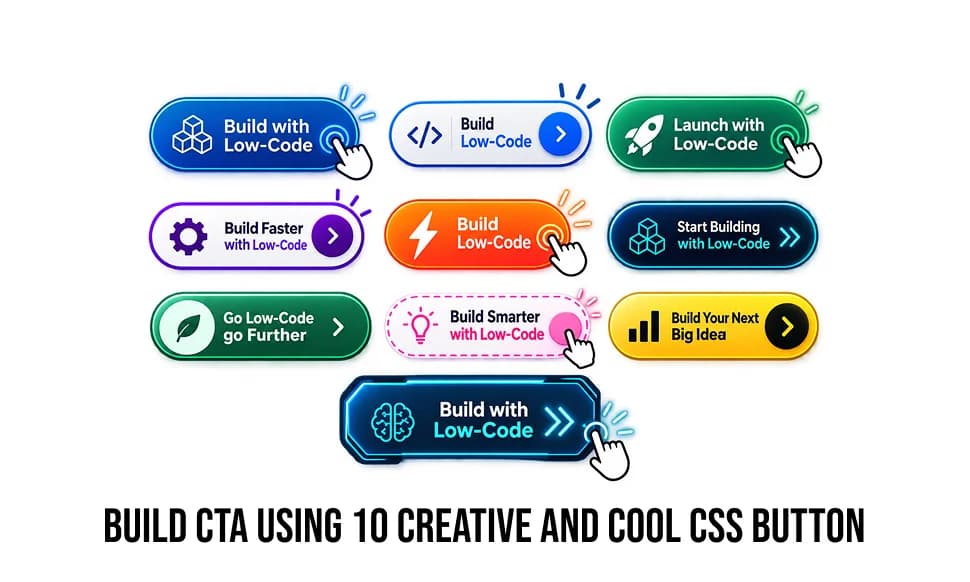
A website is a composite structure of various elements and one of the important component is a Button.
A website is a composite structure of various elements; one important component is a Button. It allows users to interact with the site. If everything is done correctly, buttons can improve the common user experience. Buttons communicate actions that users can take. They are typically placed throughout your website UI and should be easily findable and identifiable while indicating the action they allow a user to complete. For example, sending an email, downloading files, redirecting to another page, or submitting a form may be the task.
There are various types of buttons like text buttons, ghost buttons, raised buttons, toggle buttons, floating action buttons, etc. Action is an integral part of a button, but if the button is not eye-catching, then there is no use for the action it is performing. For this, the UI perspective is more important, focusing on size, color, shape, placement, copy, and background. So at least your button should attract the user at first glance.
Now you have grabbed the attention of the user; it is time to work on the user experience. Your button should give some visual response to the user on actions like hover or focus. This will create communication between the user and your website. Here, button animations come into view. Animations make the website more user-friendly, which in turn, increases the website’s engagement time.
Presenting 10 amazing button animations just using HTML and CSS!
Zoom background
Slide the background
Half filled background
Text Animation on Button
Shake Button
Border Animation
Press Button Effect
Wiggle Animation
Glass Morphism
Button Arrow Animation

Shriti Gaichor
Put AI to work in your content engine
We design AI-native marketing workflows that ship - not demos.
Keep reading
View more →
Get the good stuff, monthly.
One thoughtful email a month - new research, playbooks, and ideas. No noise.